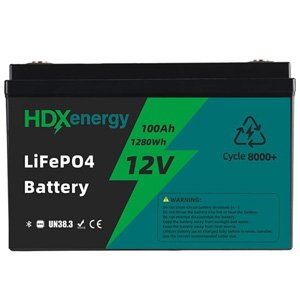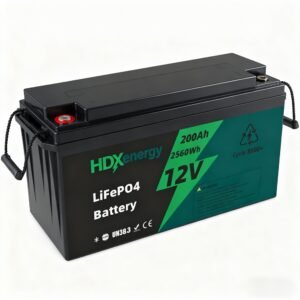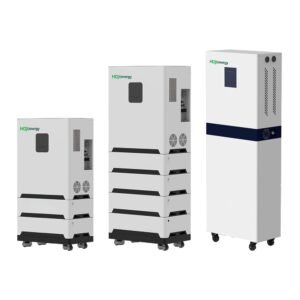
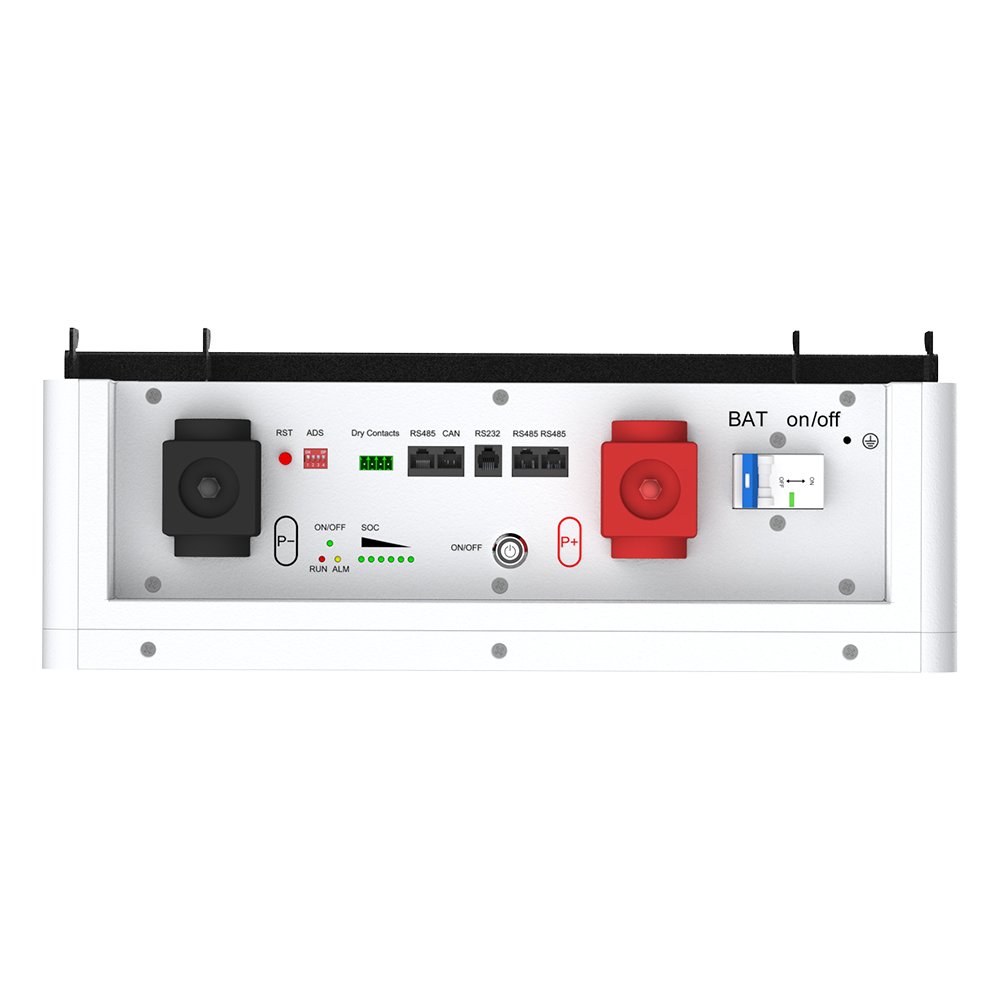
Taking care of your wall-mounted lithium battery is important for safety, making it last longer, and helping it work well. You should keep your battery at about half charged. Store it in a cool and dry place. Do not let it get too hot or too cold. Check the connections often to make sure they are tight. Clean the terminals so they do not get rusty. If you do not do these things, your battery might not work well or could be unsafe. Doing these easy steps helps your battery last longer and keeps your home working well.
Key Takeaways
- Keep your battery charged around 50%. This helps it last longer.
- Store your battery in a cool and dry place. This stops damage from hot or cold temperatures.
- Clean your battery and its vents often. This keeps dust away and helps air move well.
- Check your battery connections every month. Make sure they are tight and safe.
- Use the right charger settings from the manufacturer. This stops your battery from getting too hot.
- Do not let your battery run out completely. Keep it above 20% charge.
- Cycle batteries you do not use every 6 to 12 months. This keeps them working well.
- Watch for warning signs and alerts from your battery’s monitor. This helps you find problems early.
Wall-Mounted Lithium Battery Maintenance Tips
Operating Temperature
Ideal Range
Keep your wall-mounted lithium battery at the right temperature. This helps it work well and last longer. The best charging temperature is 0°C to 45°C (32°F to 113°F). For discharging, use -20°C to 60°C (-4°F to 140°F). You can see these numbers in the table below:
| Operation Type | Temperature Range |
|---|---|
| Charging | 0°C to 45°C (32°F to 113°F) |
| Discharging | -20°C to 60°C (-4°F to 140°F) |
Lithium iron phosphate batteries, like the HDX Energy Power Storage Wall, work best at 20°C to 25°C. Staying in this range helps your battery last longer.
Avoiding Extremes
Do not let your battery get too hot or too cold. High heat can cause leaks or short circuits. In hot places, your battery can get too warm and not last as long. Cold weather can also make it work worse. The Power Storage Wall uses thermal control to keep the battery at a safe temperature. This helps your lifepo4 lithium battery stay safe and work well.
Tip: Put your battery in a cool, shady place. This helps avoid extreme temperatures and makes it last longer.
Cleaning and Ventilation
Dust and Debris Removal
Dust and dirt can collect on your wall-mounted lithium battery. Clean the battery and vents often. Use a dry cloth to wipe off dust. Keeping it clean helps your battery stay cool and work better. The Power Storage Wall is easy to clean because of its design. You can reach all parts without any trouble.
Moisture Prevention
Water can hurt lithium iron phosphate batteries. Keep your battery dry at all times. Check for leaks or water near the battery. If you see water, dry it right away. Good airflow helps stop moisture from building up. The Power Storage Wall has smart tools to help you find problems early.
Visual Inspections
Monthly Checks
Check your battery every month. Look at the battery, cables, and connections. Make sure everything looks normal. The Power Storage Wall has a touchscreen that shows battery status. This makes your monthly checks easy and fast.
Signs of Damage
Look for damage like cracks, swelling, or loose wires. If you see any, stop using the battery and get help. Finding problems early keeps your battery safe and helps it last longer. Smart features can warn you if something is wrong.
| Feature | Description |
|---|---|
| Smart Management Module | Lets you track battery status and spot problems early. |
| Easy Maintenance | Supports updates, app management, and cloud tools. |
You get better tips and a longer battery life with smart tools. Cleaning, good airflow, and monthly checks help your wall-mounted lithium battery stay safe and last longer.
Charging and Discharging Maintenance
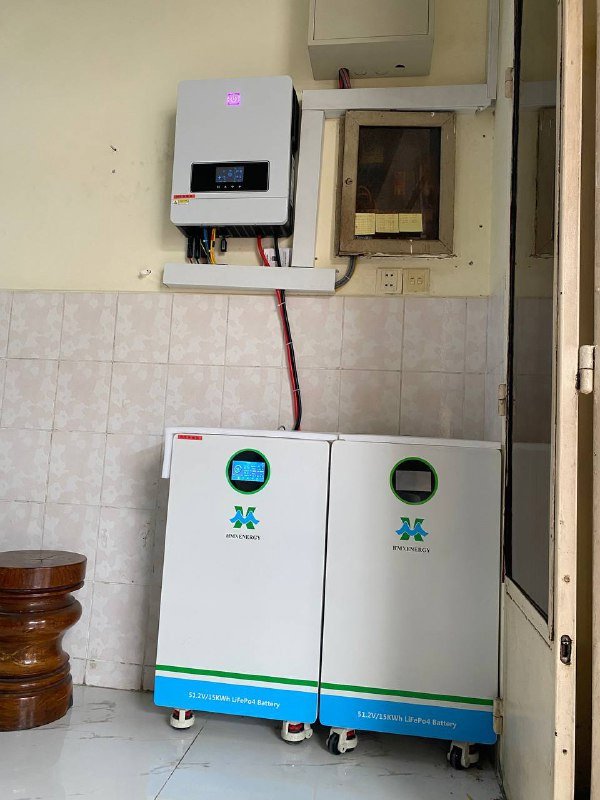
Charging Practices
Correct Voltage and Current
You must use the right charging steps to keep your lifepo4 lithium battery healthy. Always set the voltage and current as the manufacturer says. If you use the wrong settings, your battery can get too hot or not last as long. The Power Storage Wall shows voltage and current on its touchscreen. You can look at these numbers every time you check the battery.
Tip: Set your charger to the right voltage and current before charging. This keeps your battery safe and helps it last longer.
Compatible Chargers
Only use chargers that fit your lifepo4 lithium battery. Some chargers are for other batteries and may not have the right settings. The Power Storage Wall lets you charge easily with plug-and-play. You do not have to worry about using the wrong charger. If you use a different charger, read the manual to make sure it is right for your battery. Good charging steps keep your battery safe from harm.
Avoiding Deep Discharge
Recommended Levels
Do not let your battery run out all the way. Deep discharge can damage your battery and make it wear out faster. Try to keep the battery above 20% charge. This easy tip helps your battery last for many years.
Battery Management System
A battery management system, or BMS, helps stop deep discharge. The Power Storage Wall has a smart BMS that watches your battery. It will disconnect the load if the voltage gets too low. This keeps your battery safe and healthy. Here is a table that shows how a BMS protects your battery:
| Feature | Description |
|---|---|
| Over-discharge protection | Disconnects the load when cells drop below safe voltage levels, ensuring long-term battery health. |
| Overcharge protection | Cuts off charging when cells reach maximum voltage, preventing overheating and damage. |
The BMS also gives alerts on the touchscreen if there is a problem. You can act fast and keep your battery in good shape.
Cycling Unused Batteries
6-12 Month Cycle
If you do not use your battery for a long time, cycle it every 6 to 12 months. This means you charge and then discharge it once. Cycling unused batteries keeps them working well and stops them from losing power.
Storage Charge Level
Store your battery at about 50% to 70% charge if you will not use it for a while. This level helps the battery stay healthy. Do not store it fully charged or empty. Check the charge level on the Power Storage Wall’s touchscreen before you put it away.
Note: Good charging steps and cycling help your battery stay ready when you need it.
By following these charging and discharging tips, you can help your battery last longer and work better. The Power Storage Wall gives you tools for easy maintenance.
Monitoring Lithium-Ion UPS Battery Health
Monitoring Tools
Touchscreen Interface
You can check your lithium-ion ups battery health with a touchscreen. The HDX Energy Power Storage Wall shows you important info. You see numbers like voltage, current, and how much charge is left. The touchscreen lets you find problems fast. You do not need special skills or tools. Just tap the screen to see the battery’s status. This makes it easy and quick to watch your lithium-ion ups battery.
Apps and Alerts
Smart apps and alerts help you watch your lithium-ion ups battery anywhere. You can use your phone or tablet for updates. Alerts tell you if something is wrong. For example, you get a message if the battery gets too hot or the voltage is low. These tools keep you updated and help you fix problems before they get worse.
Tip: Turn on alerts on your device. You will know right away if your lithium-ion ups battery needs help.
Here is a table that lists features to help you watch your lithium-ion ups battery:
| Feature | Description |
|---|---|
| Smart Management Module | Lets you track battery status and stop problems early. |
| Comprehensive Safety Protection | Keeps the system safe with strong materials and many layers of protection. |
| All-Temperature Monitoring | Watches the battery’s temperature and warns you early to stop problems. |
| Full Lifecycle Monitoring | Tracks and reports battery status all the time for better safety. |
Voltage Checks
Safe Measurement
Check your lithium-ion ups battery voltage often. Use the touchscreen or a safe digital meter. Always follow the manual’s steps. Never touch the terminals with your hands or metal things. Only check when the battery is not charging or discharging. Safe checks help you avoid accidents and keep your lithium-ion ups battery healthy.
Warning Signs
Look for warning signs when you check the voltage of your lithium-ion ups battery. Here are some things to watch for:
- A fully charged lithium-ion ups battery should show a certain voltage.
- If you always see low voltage, your lithium-ion ups battery might have a problem.
- If the voltage drops fast, the battery or charger may not work right.
- Watching battery voltage and health is very important.
If you see any of these signs, get help or check the manual. Acting early keeps your lithium-ion ups battery safe and working well.
Note: Checking your battery and voltage often helps you find problems early. You protect your lithium-ion ups battery and help it last longer.
Storage and Environmental Maintenance
Storage Conditions
Temperature Control
You must watch the temperature when you store your lithium battery. Temperature changes how well your battery works and how long it lasts. If it gets too hot, your battery will not last as long. If it gets too cold, the battery works slower inside. This means your battery will not work as well. The best temperature for a lifepo4 lithium battery is between 20°C and 25°C. Keeping your battery in this range helps it stay strong and healthy.
Here are some tips for storing your battery at the right temperature:
- Do not put your battery near things that make heat, like radiators or sunlight.
- Stay away from cold places, like garages in winter.
- Pick a room where the temperature does not change a lot.
Tip: If you use the HDX Energy Power Storage Wall, you can see the temperature on the touchscreen. This helps you store your battery the right way and avoid problems.
Shaded Areas
Always put your battery in a place with shade. Sunlight can make your battery too hot and hurt it. Shade keeps your battery safe from big temperature changes. Pick a spot that is cool and dry. Make sure air can move around the battery. This stops water from building up and keeps your battery safe.
| Storage Location | Temperature Control | Moisture Protection | Sunlight Exposure |
|---|---|---|---|
| Indoor utility room | Good | Good | None |
| Basement | Good | Good | None |
| Garage (summer) | Poor | Fair | Possible |
Long-Term Storage
50-70% Charge
If you want to store your battery for a long time, keep it charged between 50% and 70%. This helps your battery stay healthy. Storing your lithium battery all the way full or empty can cause problems. A lifepo4 lithium battery lasts longer if you follow this rule. Before you put your battery away, check the charge on the touchscreen.
Periodic Checks
Check your battery every few months while it is stored. Look at the voltage and how much charge is left. Make sure the battery does not get too low. If the charge drops, charge it back up to 50% to 70%. This stops the battery from getting too empty and keeps it ready to use.
Here is an easy checklist for long-term storage:
- Charge the battery to 50–70% before you store it.
- Put the battery in a cool, dry, and shaded place.
- Check the voltage every 3–6 months.
- Charge it again if you need to.
Note: Good storage habits help your battery last longer and work better when you need it.
If you follow these storage tips, you protect your lifepo4 lithium battery from damage. You also make sure it is ready when your home needs power.
Following Manufacturer Guidelines
User Manual
Key Sections
Always read the user manual before you use your HDX Energy Power Storage Wall. The manual gives you easy steps for safe use and care. You will find parts that show how to set up the battery. It also tells you how to use the touchscreen and plug-and-play features. The manual explains how to clean the battery and where to put it. If you follow these steps, your battery will last longer and stay safe.
Tip: Keep your manual in a safe place. You can check it anytime you need help or want to see battery settings.
Here is a table that lists important parts you should read:
| Section Name | What You Learn |
|---|---|
| Installation | How to mount and connect the battery |
| Operation | How to use the touchscreen and monitor |
| Maintenance | Cleaning, inspection, and care steps |
| Safety | Warnings and safe handling tips |
| Troubleshooting | How to fix common problems |
Support and Warranty
Registration Benefits
When you register your HDX Energy Power Storage Wall, you get good support and a long warranty. Registration lets you get expert help if you have questions or repairs. You also get updates about new features and safety tips. The 10-year warranty protects your battery from problems. If you take care of your battery and follow the rules, your warranty stays good.
Note: Register your battery right after you install it. This helps you get all the support and benefits.
Maintenance Records
Documentation Importance
You should write down every time you do maintenance. Record the date, what you checked, and any problems you saw. Good notes help you watch your battery’s health and show you follow the rules. If you need warranty service, your notes prove you took care of your battery. You can use a notebook or a digital app to keep your notes neat.
- Write down each cleaning and check.
- Record any repairs or changes you make.
- Save receipts and emails from support.
Keeping notes helps you see problems early and fix them fast. This makes your battery safer and more reliable.
Callout: Good notes protect your battery and help you get the most from your HDX Energy Power Storage Wall.
Common Maintenance Mistakes
Ignoring Warnings
Sometimes, your battery’s touchscreen or app will show warnings. These warnings tell you if there is a problem, like low voltage or high temperature. You might also see alerts about loose connections. If you do not pay attention to these warnings, your battery can get damaged. It can also become unsafe. Always look at the alerts and fix problems right away. The HDX Energy Power Storage Wall gives you clear messages. This helps you act fast. When you listen to warnings, you keep your battery safe. You also help protect your home.
Tip: Turn on notifications on your phone or tablet. You will find out about problems as soon as they happen.
Incompatible Accessories
Many people use the wrong accessories with wall-mounted lithium batteries. You should only use chargers and cables made for lithium batteries. If you use the wrong charger, the voltage can be wrong. This can make the battery get too hot or not last as long. Always read the manual before you use new accessories. The Power Storage Wall uses plug-and-play parts that fit well. If you use the right products, you do not have to worry about problems.
Here is a table that shows what can go wrong with the wrong accessories:
| Accessory Type | Possible Problem | Solution |
|---|---|---|
| Incompatible charger | Overheating, damage | Use lithium charger |
| Wrong cable | Poor connection, sparks | Use approved cable |
| Non-matching inverter | System errors | Check manual for match |
Skipping Maintenance
Some people forget to do regular maintenance. You should check your battery every month. Look at the voltage and check the connections. Wipe off dust from the battery and vents. If you skip these steps, you might miss early signs of trouble. Problems can get worse and make your battery stop working sooner. The Power Storage Wall makes it easy to do maintenance. It has a touchscreen and smart alerts. You can see how your battery is doing and fix problems before they get bad.
Here is an ordered list of maintenance steps you should always do:
- Check voltage and battery status.
- Look at cables and connections for damage.
- Clean dust and dirt from the battery and vents.
- Read warning messages and alerts.
Callout: Doing regular maintenance keeps your battery safe. It also helps your battery last longer. Do not forget these important steps.
If you ignore warnings, use the wrong accessories, or skip maintenance, your battery can get damaged. Avoid these mistakes to help your battery work better and stay safe.
Overloading Battery
You might think your wall-mounted lithium battery can handle anything you plug in. This is not true. Overloading happens when you connect too many devices or appliances at once. The battery tries to give more power than it can safely provide. This can cause heat, damage, or even shut down your system.
Many people make this mistake because they do not know the battery’s limits. Overloading is one of the most common mistakes with home energy storage. You need to know how much power your battery can give at one time. The HDX Energy Power Storage Wall shows you this information on its touchscreen. You can check the output rating before you add new devices.
Tip: Always check the total power of your devices before you connect them to your battery. Add up the watts for each device. Make sure the total is less than the battery’s maximum output.
Here is a simple table to help you understand:
| Device | Power (Watts) |
|---|---|
| LED Light Bulb | 10 |
| Laptop Charger | 65 |
| Refrigerator | 150 |
| Microwave | 1000 |
| Electric Kettle | 1200 |
If you connect a microwave and a kettle at the same time, you use 2200 watts. If your battery’s maximum output is 2000 watts, this will overload it.
Overloading can cause several problems:
- The battery may shut down to protect itself.
- The system can get hot and wear out faster.
- You might lose power to your home.
- The warranty may not cover damage from overloading.
You can avoid these mistakes by reading your user manual and checking the touchscreen for real-time data. The Power Storage Wall gives you alerts if you get close to the limit. You should listen to these warnings and unplug some devices if needed.
Here are some steps to prevent overloading:
- List all devices you want to use at the same time.
- Check the power rating for each device.
- Add the numbers together.
- Compare the total to your battery’s maximum output.
- Unplug or turn off devices if you get close to the limit.
You should teach everyone in your home about these rules. This helps everyone avoid common mistakes and keeps your battery safe. Remember, taking care of your battery means it will last longer and work better for you.
You can help your wall-mounted lithium battery last longer by doing easy steps. Check your battery often to make sure it looks okay. Wipe off dust and dirt to keep it clean. Watch for any warning signs, like strange lights or sounds. These steps help keep your battery safe and working well. Taking care of your battery means it will give you power for a long time. Start these good habits now and see how they help your battery last.
FAQ
How often should you check your wall-mounted lithium battery?
You should check your battery every month. Look for dust, loose wires, or warning messages. Regular checks help you spot problems early and keep your battery working well.
What does the touchscreen on the Power Storage Wall show?
The touchscreen shows voltage, current, charge level, and daily savings. You can use it to monitor your battery’s health and see if you need to take action.
Why is temperature control important for lithium batteries?
Temperature control keeps your battery safe and helps it last longer. High heat or cold can damage the cells. You should store your battery in a cool, dry place for proper care.
Can you use the Power Storage Wall for maintaining lithium rv batteries?
You can use the Power Storage Wall at home, but RV batteries need different setups. Always follow the manual for maintaining lithium rv batteries to ensure safety and good performance.
What is safe chemistry in lithium batteries?
Safe chemistry means the battery uses materials that lower fire risk and improve safety. The Power Storage Wall uses LiFePO₄ cells, which have safe chemistry for home use.
How do you avoid overloading your battery?
You should add up the power of all devices you want to use. Make sure the total is less than your battery’s maximum output. The touchscreen helps you check this quickly.
What should you do if you see a warning on your battery?
You should read the warning and follow the steps in your manual. Fix problems right away to keep your battery safe and working well.
How do you give proper care to your lithium battery?
You should clean the battery, check connections, and store it at the right temperature. Proper care helps your battery last longer and work safely.